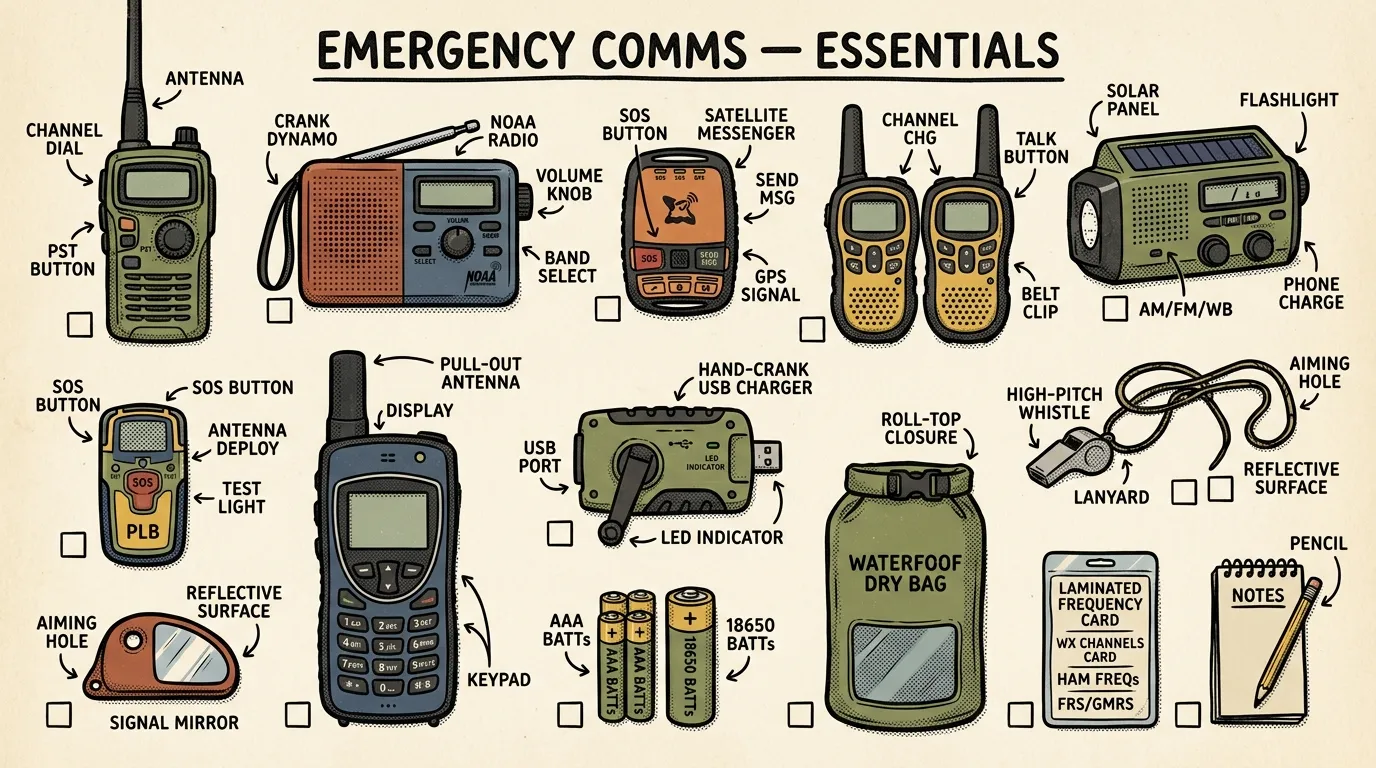
The most reliable emergency communication devices for beginners are NOAA weather radios for alerts, two-way radios for local contact, and satellite communicators or satellite phones when cell networks fail. Choose based on your budget, terrain, power options, and likely emergencies, then test your plan regularly so it works under real conditions.
Key Takeaways
- Start with a NOAA weather radio and a USB power bank — this $50 baseline covers the most common emergencies and gives you official alerts without cell service.
- Layer your communication across three tiers: information (weather radio), local coordination (two-way radios), and off-grid reach (satellite communicator or PLB) so no single failure leaves you silent.
- Personal Locator Beacons provide satellite SOS with zero subscription fees — register free with NOAA and you're covered for the life of the device.
- Test every device monthly, run family drills twice a year, and keep laminated quick-start cards zip-tied to each piece of gear so anyone can operate it under stress.
- Put your phone in airplane mode during extended outages — this alone stretches a single charge from one day to three or four days.
Best Emergency Communication Devices: A Beginner’s Guide
During the 2020 Labor Day fires in Oregon, cell towers went down across three counties in under six hours. Just gone. The only people who had reliable communication were those with NOAA weather radios and pre-programmed ham handhelds. Everyone else was in the dark — some literally, some figuratively, and too many were both.
The best emergency communication devices aren’t the most expensive ones. They’re the ones that are charged, tested, and understood by the person holding them when everything else fails.
This guide covers exactly what to buy, why, and in what order — based on published specifications and manufacturer testing, not just marketing claims.
Quick Summary
- Start with a NOAA weather radio, two-way radios (FRS/GMRS/MURS), and a phone power bank. Add a satellite communicator or personal locator beacon for true off-grid coverage.
- Build redundancy across three layers: information (NOAA weather radio), local coordination (two-way or ham radio), and long-distance/off-grid (satellite).
- Power management is just as critical as the devices themselves — no power means no communication, period.
- Test everything monthly, drill with your family twice a year, and keep laminated quick-start cards attached to every device.
Understanding the Device Categories
Before you spend a dollar, you need to know what you’re looking at. Here’s the shorthand.
- NOAA/NWS weather radio: Receive-only broadcasts from the National Weather Service. SAME technology lets you filter alerts to your specific county.
- Two-way radios (FRS / GMRS / MURS): Handheld voice radios for local communication without cell towers. FRS and MURS are license-free in the U.S. GMRS requires an FCC license ($35, covers your whole family).
- Satellite communicators and satellite phones: Send and receive messages, locations, and SOS via satellite when terrestrial networks are down. Most require monthly subscriptions.
- Personal Locator Beacons (PLBs): One-way emergency SOS devices that transmit your GPS location to search-and-rescue satellites via the COSPAS-SARSAT system. No subscription required — register free with NOAA. Emergency-only, no two-way messaging.
- Amateur (ham) radio: Licensed, flexible communications for local to long-distance use. Volunteers often support emergency response through organizations like ARES and RACES.
- Mesh networking devices: Hardware like Meshtastic-compatible LoRa radios that relay messages between nodes without any internet or cell infrastructure. Each device acts as a repeater, extending range as more nodes join the network. Particularly effective in urban environments.
- Layered approach: Combine device types so you’ve got backups across the information, local, and off-grid layers — plus spare power for all of them.
Best Emergency Communication Devices Ranked for 2026
Here’s what’s recommended, ranked by overall value and reliability:
- Garmin inReach Messenger Plus (~$350) — Best overall satellite communicator with two-way messaging and SOS.
- Midland ER310 (~$40) — Best hand crank emergency radio with NOAA, solar, and USB charging.
- ACR ResQLink View PLB (~$300) — Best subscription-free satellite SOS device for hikers and emergencies.
- Motorola Talkabout T600 (~$50/pair) — Best FRS two-way radios for families on a budget.
- Zoleo Satellite Communicator (~$200) — Best budget satellite communicator with flexible subscription plans.
- Midland GXT1000 (~$70/pair) — Best GMRS radios for extended neighborhood range.
- Baofeng UV-5R (~$25) — Best entry-level ham radio for licensed operators on a tight budget.
- Garmin inReach Mini 2 (~$300) — Best compact satellite communicator for backcountry carry.
Let me break down why these made the list.
The Garmin inReach Messenger Plus is a strong option for people who want true off-grid communication. Two-way text messaging via the Iridium satellite network, SOS with 24/7 monitoring from GEOS, and GPS tracking your family can follow in real time. Message delivery speed depends on sky visibility — a clear view typically delivers messages within a few minutes, while dense canopy cover can delay delivery significantly. Subscription runs $14.95–$64.95/month depending on plan.
The Midland ER310 is a hand crank NOAA weather radio with a solar panel, USB rechargeable battery, hand crank, and an SOS flashlight beacon. It does everything you need for the information layer at a price that’s hard to argue with.
ACR ResQLink View PLB is the gold standard for subscription-free emergency SOS. One button press sends your GPS coordinates to search-and-rescue via COSPAS-SARSAT satellites. No monthly fees, ever. The tradeoff: it’s emergency-only with no two-way messaging.
Motorola Talkabout T600 radios are waterproof, float, and include a built-in flashlight. Real-world FRS range is about 0.5–2 miles depending on terrain. They’re simple enough that a first-time user can typically figure them out within a minute — which is the real test.
The Zoleo Satellite Communicator — around $200 — is a solid alternative for anyone hesitant about the Garmin’s price tag. Plans start at $20/month, it pairs with a phone via Bluetooth for a more capable messaging interface, and it works standalone for SOS. For the “send a message home, trigger SOS if needed” use case, the Zoleo covers most of what the Garmin offers at a lower total cost. The Garmin still wins on GPS tracking and screen quality, but the Zoleo wins on value.
The Midland GXT1000 GMRS radios push significantly more range than FRS — manufacturer specs list up to 36 miles, though real-world range in mixed suburban terrain is typically closer to 3–5 miles. The GMRS license is $35 and covers your entire household.
Baofeng UV-5R is controversial in ham circles because it’s cheap and easy to misuse. But for a licensed operator who wants an affordable entry, it’s hard to beat around $25. Pair it with a better antenna (Nagoya NA-771) and you’ve got a surprisingly capable handheld. For more depth, check out our ham radio emergency preparedness guide.
Garmin inReach Mini 2 is the lighter, more compact version of the Messenger Plus. Same Iridium satellite network, same SOS capability, smaller screen. Its compact size and low weight make it easy to attach to a pack strap for backcountry trips.
Quick Comparison Table
| Device Type | Example Models | Approx. Cost | Subscription | Primary Purpose | Best For |
|---|---|---|---|---|---|
| NOAA weather radio | Midland WR120 ( | $25–$55 | None | Receive official alerts | Everyone — baseline device |
| FRS two-way radios | Motorola T600 (~$50/pair) | $25–$60/pair | None | Local voice coordination | Families, neighborhoods |
| GMRS two-way radios | Midland GXT1000 (~$70/pair) | $50–$200/pair | $35 FCC license | Extended local coordination | Suburban/rural families |
| Satellite communicator | Garmin inReach Mini 2 ( | $150–$350 | $12–$65/mo | Text, location, SOS off-grid | Backcountry, remote areas |
| Personal Locator Beacon | ACR ResQLink View ( | $250–$350 | None | Emergency SOS only | Hikers, budget-conscious preppers |
| Satellite phone | Iridium 9575 ( | $800–$1,500 | $40–$150/mo | Voice calls off-grid | Maritime, expeditions, remote work |
| Ham radio (handheld) | Baofeng UV-5R ( | $25–$200 | Free (license exam ~$15) | Flexible local to long-range | Trained, licensed operators |
Performance depends on power, antennas, line-of-sight, and terrain. Always test vendor range claims in your actual environment.
SOS Devices That Don’t Require a Subscription
This is one of the most common questions about emergency communication: “Do I really need to pay a monthly fee just to have an emergency backup?”
No, you don’t. Personal Locator Beacons (PLBs) provide satellite SOS capability with zero subscription fees.
Here’s how they work: when you activate a PLB, it transmits a distress signal on 406 MHz to the COSPAS-SARSAT satellite system — the same international search-and-rescue network used by aviation and maritime emergencies. The signal includes your GPS coordinates and your unique registration ID. Search-and-rescue teams receive the alert and respond.
Top subscription-free SOS devices:
- ACR ResQLink View (~$300): Built-in GPS, a small screen that confirms signal transmission, buoyant, 5-year battery life. It’s a popular choice for backcountry hikers who want a safety net without ongoing costs.
- McMurdo FastFind 220 (~$250): Compact, reliable, 66-channel GPS. Slightly less feature-rich than the ACR but solid and a bit cheaper.
Registration is free through NOAA’s beacon registration database. You register your beacon, your emergency contacts, and your typical activity profile. This helps SAR teams respond faster.
The tradeoff you need to understand: PLBs are emergency-only. One button. One function. There’s no two-way messaging, no check-in texts to your family, no GPS tracking they can follow. You press the button, rescue comes. That’s it.
A PLB is the emergency communication equivalent of a fire extinguisher — you hope you never use it, but when you need it, nothing else will do.
Satellite communicators like the Garmin inReach or Zoleo require monthly subscriptions ($12–$65/month) but offer two-way text messaging, location sharing, GPS tracking, weather forecasts, and SOS. If you want the ability to send “I’m safe, roads are washed out, don’t worry” to your family — that requires a subscription device.
The takeaway: If you hike, camp, or live in a remote area and just want a “break glass in emergency” option, a PLB is the most cost-effective satellite safety device you can buy. If you want ongoing communication capability off-grid, budget for a satellite communicator subscription.
Are Hand Crank Emergency Radios Actually Worth It?
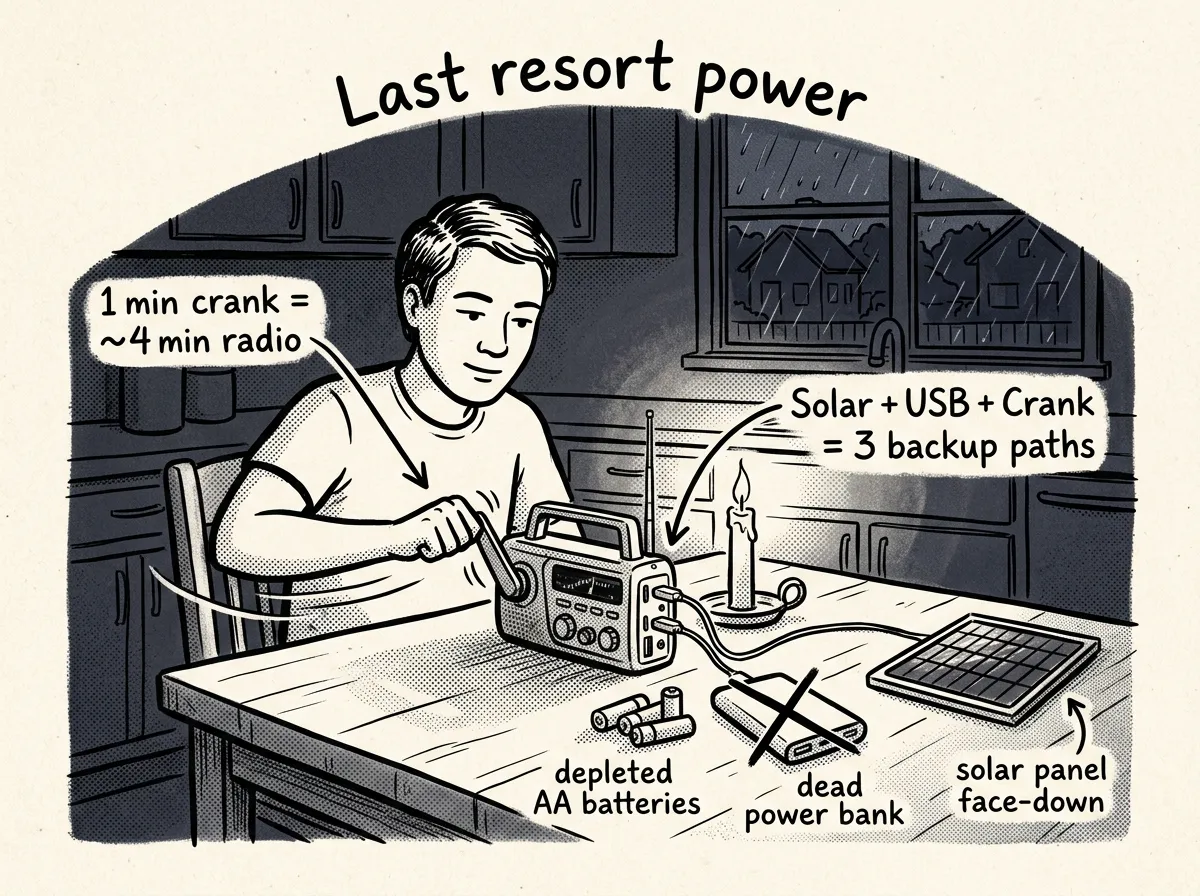 Cranking for power when every other source is tapped out
Short answer: yes, but not for the reason most people think.
The hand crank function is a last resort, not a primary strategy — useful only after every other power source has been drained.
Here’s the reality of hand cranking:
- Roughly 1 minute of cranking yields 3–5 minutes of radio play or a marginal phone charge.
- Cranking for a meaningful phone charge takes 15–20 minutes of sustained, tiring effort — and you might get 2–3% battery.
- Your arm will be sore. Your patience will be tested. But you’ll have a working radio when nothing else functions.
The real value of a hand crank radio is that it represents a power source that can never run out. Batteries die. Power banks drain. Solar panels need sunlight. But as long as you’ve got a functioning arm, a hand crank radio works.
The key is buying a model that doesn’t rely solely on the crank. Look for radios with solar + USB + crank — three power inputs so the crank is a backup to the backup.
Recommended models:
- Midland ER310 (~$40): NOAA weather, AM/FM, SOS flashlight, solar panel, USB rechargeable, hand crank. For a deeper dive on this category, see our guide to the best hand crank radios for emergencies.
- Eton FRX5 (~$70): Similar feature set with slightly better build quality and a larger solar panel. Also includes Bluetooth streaming, though it’s more of a convenience feature than an emergency necessity.
Store AA batteries and a USB power bank as your primary power sources. Charge the radio’s internal battery via USB before storm season. Use solar when it’s available. Save the hand crank for the moment when absolutely everything else is tapped — because eventually, in a long enough emergency, that moment might come.
Why Layers of Communication Matter
So why can’t you just buy one great device and call it done? Because redundancy prevents a single point of failure. One system going down should never mean you’re cut off completely.
Plan three layers:
- Information layer: Devices that deliver official alerts, like a NOAA weather radio. This is how you know what’s happening.
- Local layer: Two-way radios or ham radio for household and neighborhood coordination. This is how you talk to the people around you.
- Long-distance or off-grid layer: Satellite communicators, PLBs, or long-range ham setups to reach help beyond the local area. This is how you reach the outside world.
And plan for power. Keep spare batteries, a charged power bank, and a solar or hand-crank option. No power means no communication, period.
How to Choose the Right Devices — A Decision Framework
Buying emergency communication devices without a framework is how you end up with a $400 satellite communicator collecting dust while you can’t reach your spouse across town. This is a common mistake. Here’s a framework to avoid it.
Start with three questions before you spend a dollar:
- Who do I need to reach? Family in the same house? Kids at school across town? A spouse who commutes 60 miles? Someone in another state?
- What’s most likely to go wrong where I live? A tornado knocking out cell towers for 8 hours is a different problem than a wildfire forcing a multi-day evacuation into areas with zero coverage.
- What’s my household’s tech comfort level? Be brutally honest. If your partner won’t program a two-way radio, that radio is a paperweight.
From there, use this priority ladder:
- Need to receive warnings → NOAA weather radio. Non-negotiable regardless of anything else. It works when the internet doesn’t, and it wakes you up at 3 AM when a tornado is bearing down.
- Need to coordinate locally (under 2 miles) → FRS radios. No license, cheap, dead simple.
- Need local coordination with better range (2–5+ miles) → GMRS radios. The FCC license is $35 and covers your whole family. Worth it.
- Need off-grid messaging or backcountry SOS → Satellite communicator. Garmin inReach, Zoleo, or ACR Bivy Stick. Subscription runs $12–$65/month.
- Want flexible, long-range capability and you’re willing to learn → Ham radio. The Technician license exam is 35 multiple-choice questions. Not hard. Very rewarding.
If a device requires more than 30 seconds of instruction for someone to use it under stress, it belongs in the “nice to have” column — not the “primary plan” column.
One more filter: power dependency. Rank every device in your kit by how long it runs on a single charge or set of batteries. Anything under 12 hours of standby needs a backup power plan before you buy it.
Urban vs. Rural: The Communication Gap Is Real
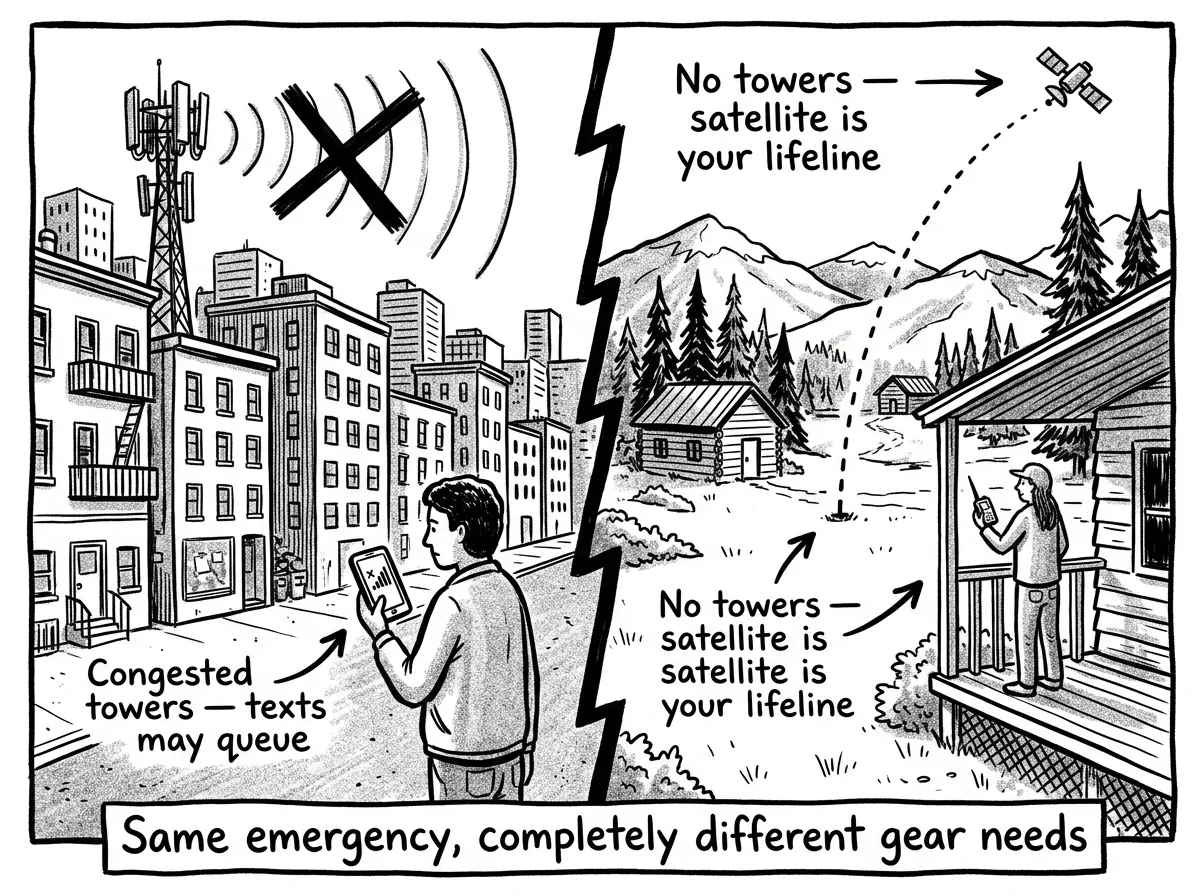 Two very different emergency communication realities
Communication challenges differ dramatically between dense urban areas and remote rural ones — not just in degree, but in kind. Your strategy should reflect where you actually live.
Urban and Suburban Considerations
Cell networks don’t go silent in cities — they get overwhelmed. Everyone tries to call at once, and the system chokes. Text messages often still get through because they use less bandwidth. Default to texting first.
FRS radio range is shorter than you’d expect in a city. Concrete, steel, and high-rises eat radio signals. Expect 0.25–0.5 miles of reliable FRS range in a dense urban core, not the 2 miles on the box. A NOAA weather radio may struggle to receive a clear signal inside a high-rise apartment — place it near a window or consider an external antenna adapter.
The upside? Neighborhood density is an asset. Establish a simple radio channel plan with even 2–3 trusted neighbors and you’ve got a local communication network. Mesh networking apps like Meshtastic using inexpensive LoRa devices can extend communication through a neighborhood — urban environments with tightly packed nodes actually benefit mesh networks.
Rural Considerations
If you’re in a rural area where cell service is already marginal on a good day, assume zero bars in any serious disruption. A satellite communicator moves from “nice to have” to essential.
Open terrain extends radio range dramatically. FRS can reach 1–5 miles, GMRS 5–15+ miles with a good antenna and elevation. Ham radio shines out here too — a simple 2-meter/70-cm handheld hitting a local repeater can cover an entire county. Rural ham radio clubs are often deeply integrated with local emergency management.
Power infrastructure is more fragile in rural areas. Longer lines, fewer repair crews, more trees to fall. In regions like the Pacific Northwest, ice storms and windstorms can knock out power for a week or more. Solar chargers and hand crank radios aren’t optional extras — they’re primary gear. Our power outage preparedness guide covers this in detail.
You’re 30 miles from the nearest town when a wildfire evacuation order hits. Cell towers are down, power is out, and the only road you know is closed. A Garmin inReach lets you text your family that you’re alive, check for alternate routes through MapShare, and trigger SOS if you get trapped. Without it, you’re completely isolated until someone physically finds you.
Budget Breakdown: Priority Order When Money Is Tight
Most people aren’t dropping $2,000 on a communications setup. And they don’t need to. Here’s a priority order for building a kit from scratch.
Tier 1: The Non-Negotiable Baseline ($40–$80)
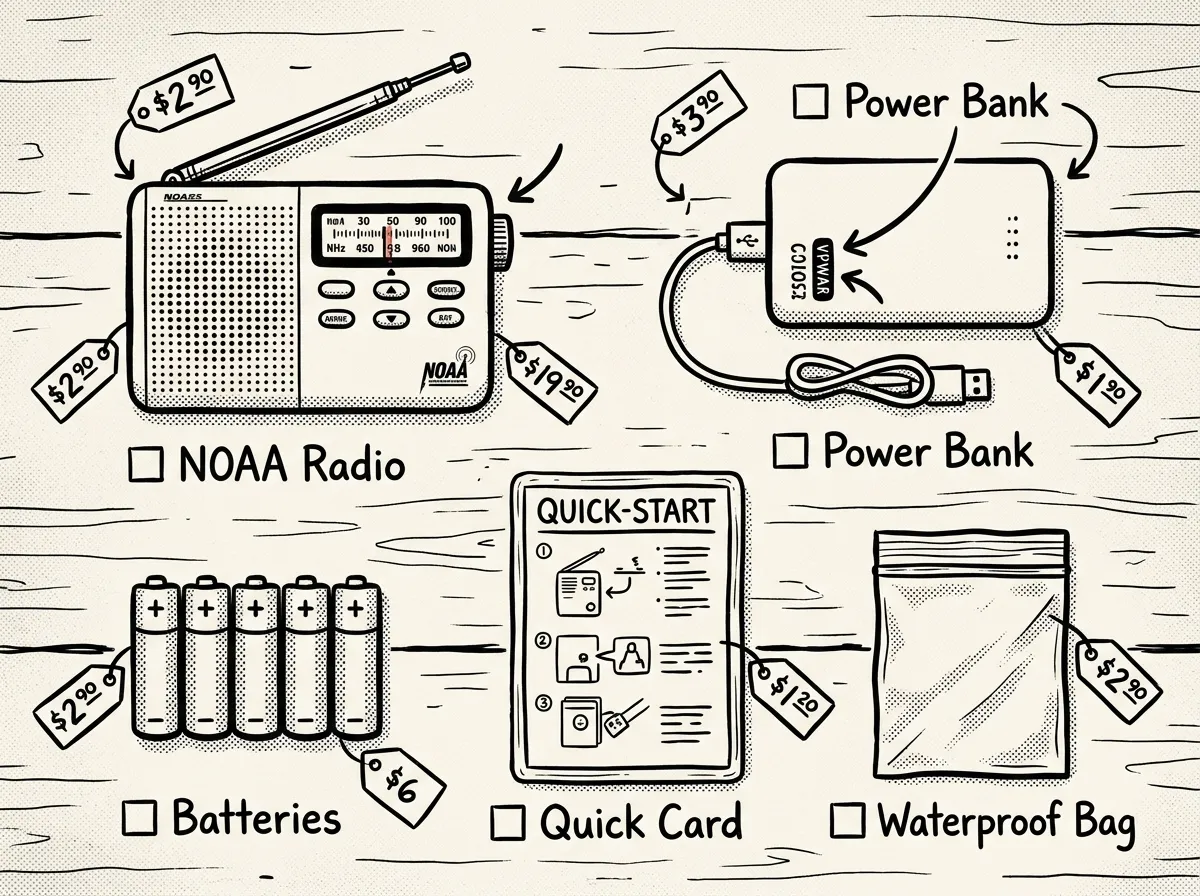 The essential $40–$80 emergency communication starter kit
- NOAA weather radio with SAME alerts — $25–$55. Midland WR120 or Sangean CL-100. Programs to your specific county.
- USB power bank (10,000–20,000 mAh) — $15–$30. Keeps your phone alive for 2–4 full charges. Anker is reliable.
- Waterproof storage for your devices — a $5 dry bag or Ziploc freezer bags. Sounds trivial. Isn’t, when there’s flooding.
Tier 2: Local Coordination ($50–$150)
- FRS/GMRS two-way radios (pair) — $25–$70. Motorola Talkabout T600 or Midland GXT1000 for GMRS.
- Extra rechargeable batteries — $15–$30. Panasonic Eneloop is the gold standard.
- A written communication plan — $0. Channel assignments, rally points, check-in times, out-of-area contact info. Laminate it. This “free” item is more valuable than half the gear on this list.
Tier 3: Extended Capability ($150–$400)
- Satellite communicator — Garmin inReach Mini 2 (
$300), Zoleo ($200), or ACR Bivy Stick (~$150) plus $12–$25/month for a basic plan. Activate the subscription during high-risk seasons if budget is tight. - Solar panel charger (10–20W folding panel) — $30–$60. BigBlue or Nekteck. Pairs with your power bank for indefinite phone and radio charging.
Tier 4: Serious Investment ($200–$600+)
- Ham radio setup — Handheld (Baofeng UV-5R at ~$25 or Yaesu FT-65R at ~$80) plus Technician license ($0–$30 study materials, ~$15 exam fee). A mobile rig for the vehicle adds county-wide range.
- Upgraded GMRS mobile radio — $100–$200 for a vehicle-mount unit like the Midland MXT275 at 15W.
- Personal Locator Beacon — ACR ResQLink View at ~$300. One-time purchase, no subscription, satellite SOS for life.
If you’ve got exactly $50 to spend today, buy a NOAA weather radio and a power bank. You now have official alerts and enough phone battery to last through most short-term emergencies. Everything else builds on that foundation. For a broader view of what else belongs in your kit, check our essential emergency preparedness gear checklist.
Beyond 72 Hours: Communication Planning for Extended Disruptions
Most preparedness advice focuses on the 72-hour window. That’s fine for a typical power outage. But hurricanes, earthquakes, and ice storms regularly knock out infrastructure for one to two weeks — sometimes longer. Your emergency communication devices need to function that entire time.
Power Becomes the Defining Constraint
Every device you own is a paperweight without power. Here’s the math:
- Smartphone: ~3,000–5,000 mAh battery. At 2 hours of active daily use plus standby, you’ll need roughly one full recharge per day. That’s 7–14 full charges for a two-week scenario.
- A 20,000 mAh power bank gives you approximately 4 full phone charges. You’d need 2–4 power banks — or a renewable charging source.
- A 20W folding solar panel in decent sun produces enough to charge a phone in 2–3 hours. Pair it with a power bank as a buffer for cloudy days.
- AA-powered devices are your most efficient option. A NOAA weather radio on standby can run 40+ hours on a set of AAs. Stock 24–48 AA batteries and you’re covered for weeks.
Bold move that actually works: Put your phone in airplane mode when you’re not actively using it for communication. This alone can stretch a single charge from 1 day to 3–4 days.
For more on managing power during extended outages, see our power outage preparedness guide.
How Information Needs Shift Over Time
- Days 1–3: You’re receiving alerts, checking on immediate family, establishing that everyone is safe. NOAA weather radio and FRS radios carry most of the load.
- Days 4–7: You need situational awareness — where are shelters, when is power restoration expected, are roads passable? Ham radio emergency nets and AM/FM broadcasts become critical. Using technology to enhance your emergency preparedness covers how to integrate digital tools into this phase.
- Days 7–14: Communication shifts to logistics. Coordinating supply runs, sharing resources with neighbors, relaying information from official sources to people without radios. This is where a simple neighborhood radio net becomes indispensable.
- Establish twice-daily check-ins on a pre-agreed FRS or GMRS channel — for example, FRS channel 1 at 8 AM and 6 PM
- Designate a physical bulletin board at a central location (community mailbox cluster, front porch) where people can post written updates for those without radios
- If neighbors share solar panels, rotate charging responsibilities so no single household bears the full load
- Monitor ham radio emergency nets for regional situational awareness — local repeater nets often become the best source of info on power restoration and supply distribution
After the event: Document what worked and what failed. Run this debrief with your family and neighbors within a week of power restoration while the experience is fresh. Adjust your communication plan, update your gear, and schedule your next drill. Every real event teaches you more than a dozen practice runs.
Testing and Maintenance Schedule
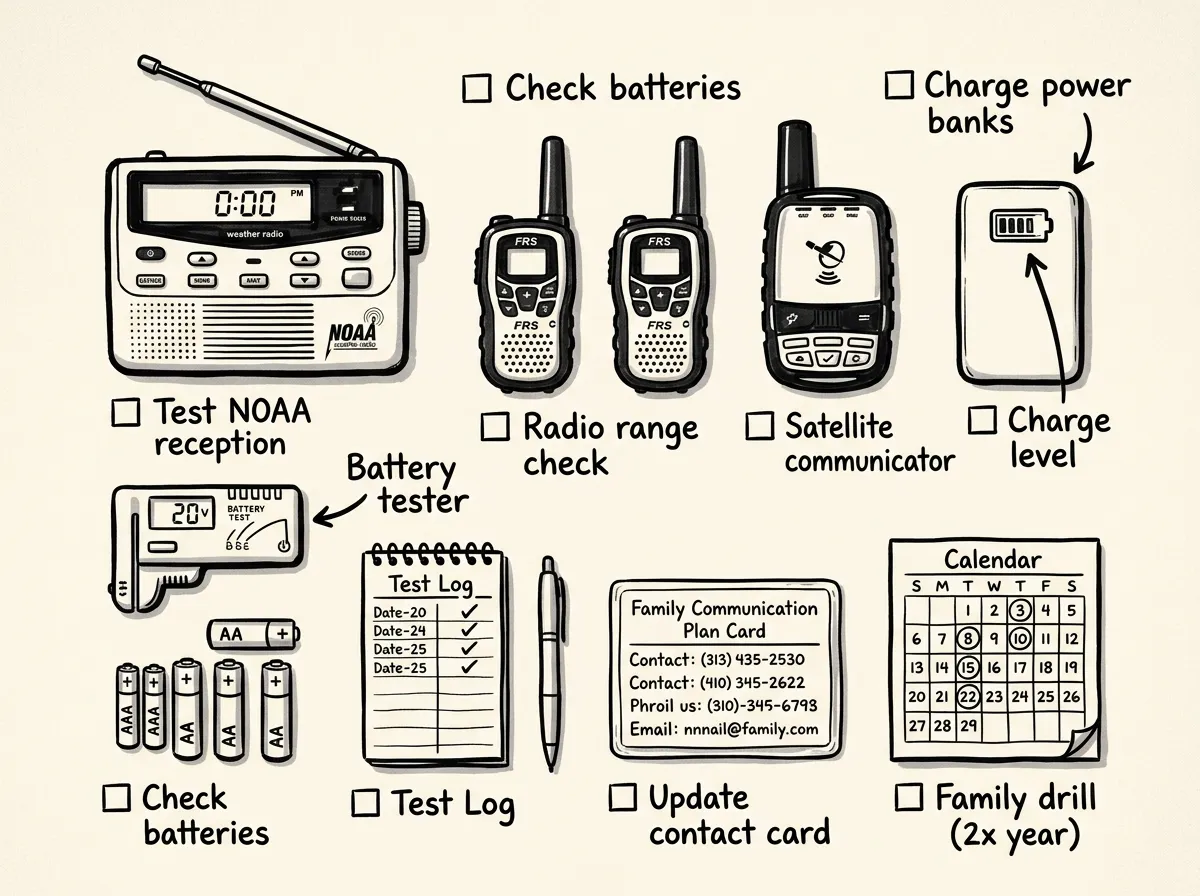 Monthly and seasonal gear check essentials laid out for inspection
A common mistake: people buy great gear, put it in a closet, and don’t touch it until an emergency hits. Then they discover dead batteries, forgotten frequencies, and family members who’ve never held the radio before. Don’t be that household.
- Check all batteries and replace any below 50% charge
- Fully charge power banks and internal radio batteries
- Test NOAA reception and verify SAME county code is correct
- Run a quick two-way radio check between all units
- Verify satellite communicator subscription is active if applicable
Twice a year: Hold a full family drill simulating a power outage and no Wi-Fi. Practice rendezvous procedures and message protocols. After any change in your household — new address, new family member, updated phone numbers — update your printed contact lists and device instructions immediately.
Test range from different rooms, vehicles, and along your evacuation routes to find dead zones. And keep laminated quick-start instructions attached to each device with a zip tie or velcro strip. This isn’t paranoia — it’s practicality.
During family drills, it’s common for even tech-savvy adults to struggle to turn on an FRS radio for the first time — especially in the dark, under pressure, with unfamiliar buttons. Zip-tying laminated cards with three-step instructions in large font to every device solves this. It sounds like overkill until it isn’t.
Your 5-Step Starter Kit — Do This This Week
Don’t overthink this. Don’t wait for the perfect setup. Here’s what to do right now:
- Buy a NOAA/NWS weather radio with SAME alerts and at least two power options (AA batteries plus USB or solar).
- Buy a pair of license-free two-way radios (FRS or MURS) and label them with a simple channel plan.
- Create and print a one-page family emergency communication plan with an out-of-area contact and clear meeting points. Laminate it.
- Get a quality power bank (10,000+ mAh) and fresh spare batteries. Store them with your devices.
- Schedule a family drill on your calendar and set a monthly reminder to check devices.
Also worth having: low-tech signals like whistles, mirrors, high-visibility markers, and a physical message board at a rendezvous point. These cost almost nothing and work when everything electronic has failed.
Build Your Communication Lifeline Now
The families who communicate effectively during emergencies aren’t the ones with the most expensive gear. They’re the ones who practiced with the gear they have. A $30 weather radio and a written plan will outperform a $400 satellite communicator still in its packaging every single time.
Start with the $50 baseline — a NOAA weather radio and a power bank. Add FRS radios for local coordination. When your budget allows, layer in a satellite communicator or PLB for true off-grid capability. Test everything. Drill twice a year. Keep those laminated quick-start cards attached to every device.
Buy your first two devices this week, write your family communication plan this weekend, and schedule your first drill. The next emergency won’t send an RSVP — but if you’ve done the work, you’ll be the person in your neighborhood who’s connected when everyone else is in the dark.
The Complete
Prepper's Reference.
149 articles synthesized into one comprehensive PDF — twelve chapters covering water, food, shelter, first aid, comms, and scenario-specific preparedness. Free with your email.
Unsubscribe anytime · We never share your email
You're in. Check your inbox.
Keep Reading
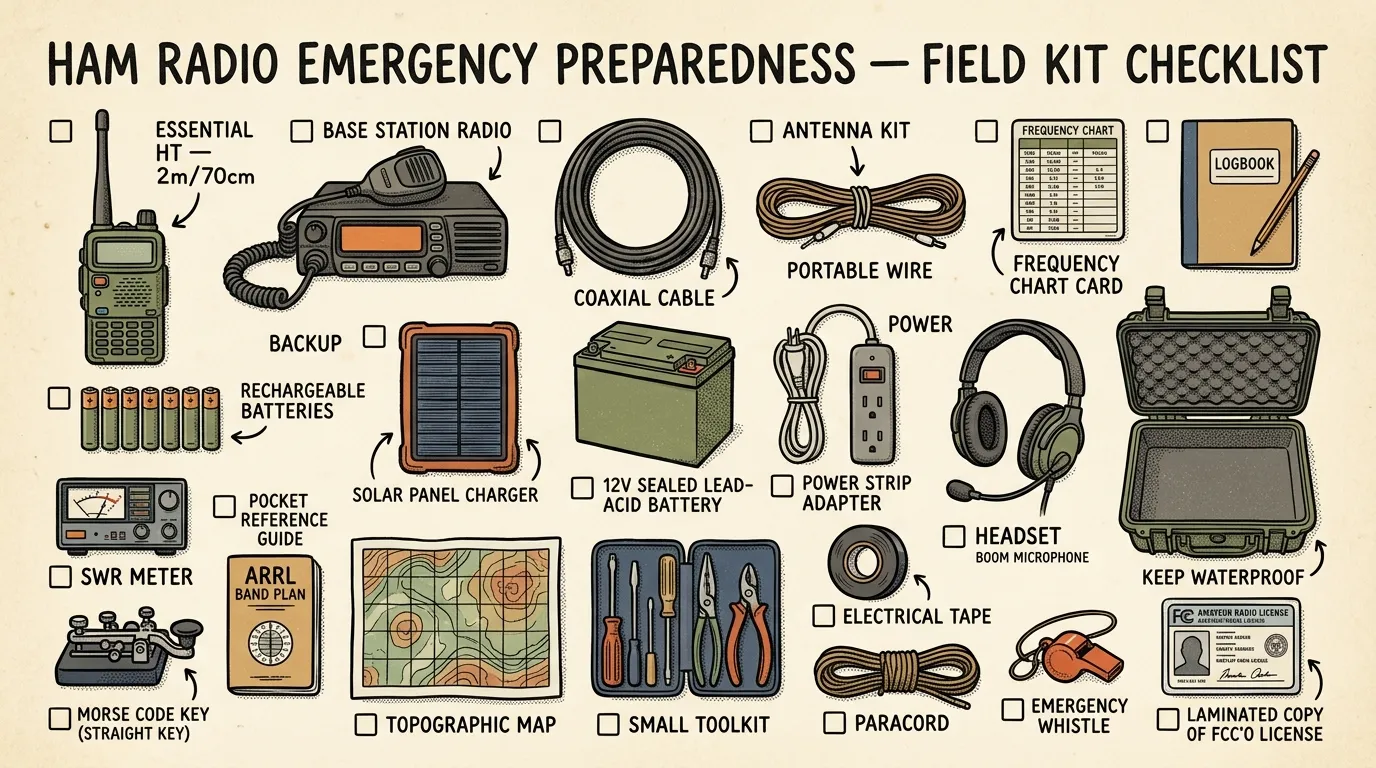
Ham Radio Emergency Preparedness: A Field Guide
Ham radio emergency preparedness explained. Gear, licensing, frequencies, and step-by-step starter plan. Start building your comms kit today.
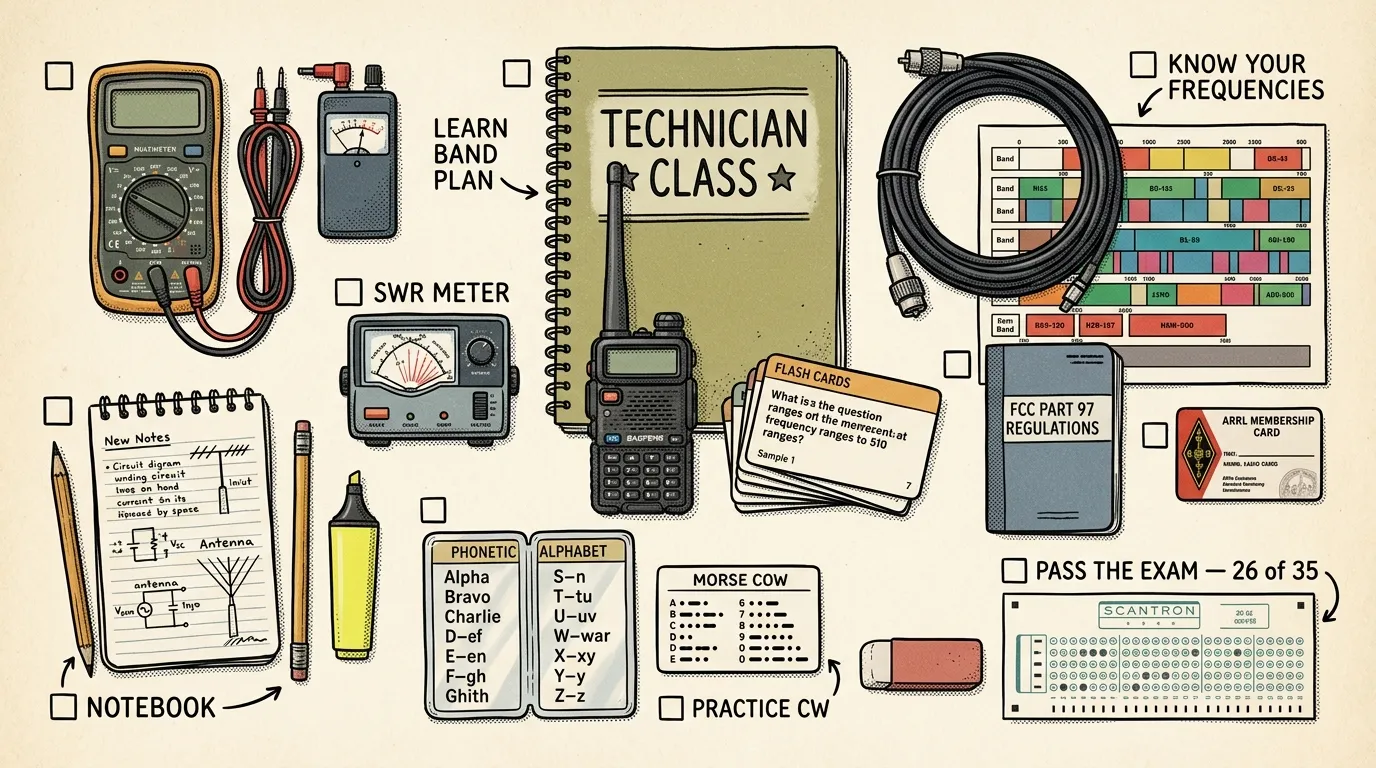
Ham Radio Technician License Study Guide for Preppers
A ham radio technician license study guide for preppers. Exam strategy, best resources, 4-week plan, and key concepts. Start studying today.
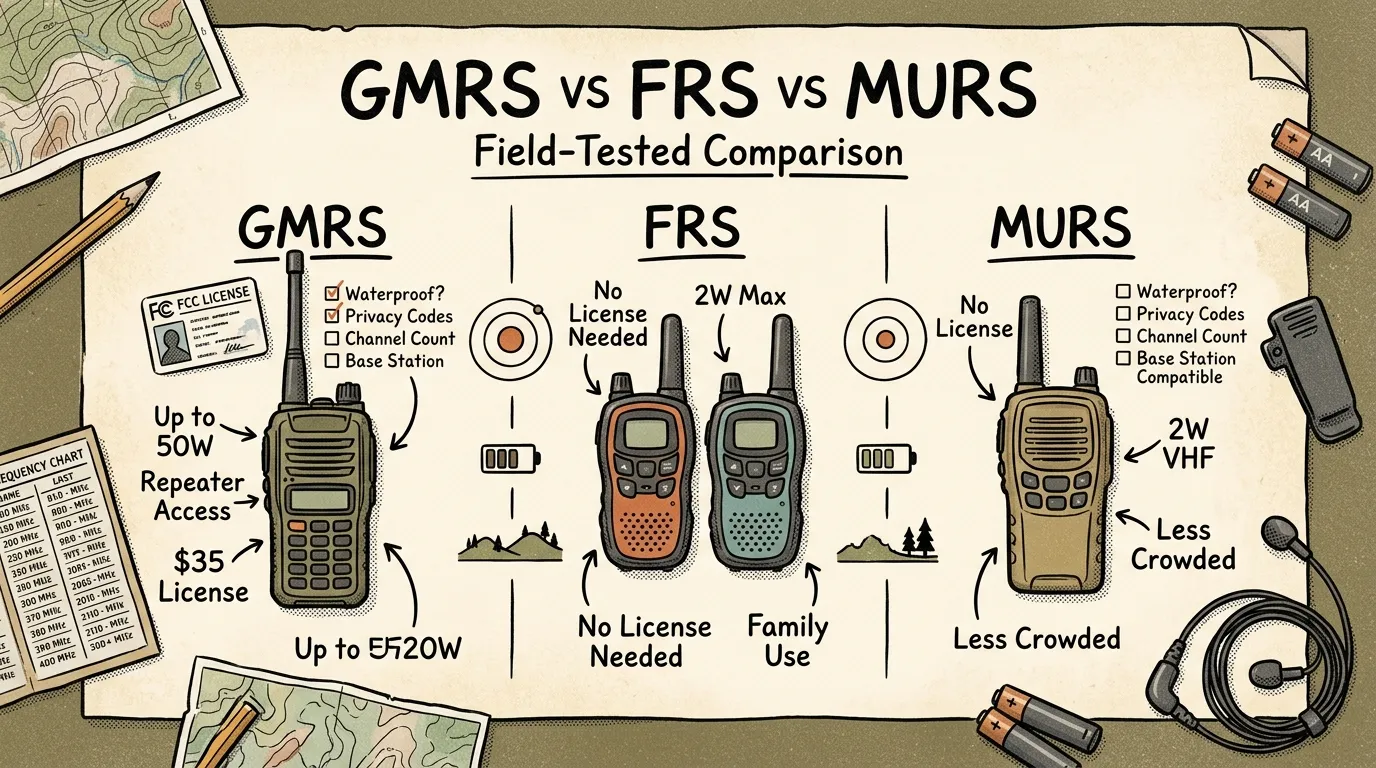
GMRS vs FRS vs MURS for Preppers: Complete Guide
GMRS vs FRS vs MURS for preppers — realistic range expectations, licensing breakdown, and scenario-based picks to choose the right emergency radio. Read more.